You click a link. The URL in your browser says lryse.xyz/course. But the page you are looking at is a Teachable course. The URL never changed.
That is link cloaking.
It sounds like something technical and obscure. It is not. It is one specific mechanism that every link shortener either supports or does not, and it matters if you care about keeping your brand in the address bar.
I built link cloaking into Linkryse. This is an accurate explanation of how it actually works.
What Is Link Cloaking?
Link cloaking is when the URL in your browser address bar stays the same, but the content of a different website loads underneath it.
Normal redirect: you click lryse.xyz/course, the browser is sent to teachable.com/your-course, and the address bar updates to the destination.
Cloaked link: you click lryse.xyz/course, the address bar stays on lryse.xyz/course, but the Teachable course page loads visually.
The destination URL is never exposed. The visitor only ever sees your link.
How Link Cloaking Actually Works
The mechanism is an iframe.
When you visit a cloaked link, here is what happens:
- Your browser requests
lryse.xyz/your-slug - Linkryse's edge server intercepts the request
- Instead of redirecting, the server returns a minimal HTML page
- That page contains a full-screen iframe pointing to the real destination
- The iframe loads the destination site's content
- Your address bar stays on
lryse.xyz/your-slugthe entire time
The browser never navigates away from your link. It just loads external content inside a frame that covers the full screen.
An iframe is an HTML element that embeds one webpage inside another. Link cloaking uses a full-screen iframe with no borders or scrollbars, so the visitor has no visual indication they are inside a frame.
Why Marketers Use Link Cloaking
The main reason is branding. Your domain stays in the address bar regardless of where the link points.
A secondary reason is protection. Affiliate marketers use cloaked links to hide commission URLs. A raw Amazon affiliate link contains your tracking tag in plain text. Anyone can strip it and buy without crediting you. A cloaked link at yourdomain.com/recommend exposes nothing about the destination.
Beyond affiliate marketing, link cloaking is useful for:
- Agencies managing campaigns across multiple clients under one branded domain
- Course creators pointing
go.yourdomain.com/courseat a hosted platform without exposing the platform name - Newsletter writers keeping consistent branded links across every edition
- Anyone sending traffic to third-party tools who wants their own domain visible at all times
What Happens When a Site Blocks Cloaking
Not every site can be cloaked. Some sites set HTTP security headers that explicitly block their content from loading inside an iframe.
The two headers that block cloaking:
X-Frame-Options: SAMEORIGINorX-Frame-Options: DENYContent-Security-Policy: frame-ancestors 'none'
When a site sends these headers, the browser refuses to render it inside an iframe. Google, Twitter, Facebook, and most major platforms use them. It is their right and it is by design.
If you try to cloak a link to Google, visitors get an error inside the frame. The link still works as a redirect, but the cloaking does not.
This is exactly why Linkryse checks automatically before you save.
When you enable link cloaking on a destination URL, Linkryse fetches that URL in the background and reads its security headers. If the site supports iframing, you see a green badge. If the site blocks it, you see an amber warning.
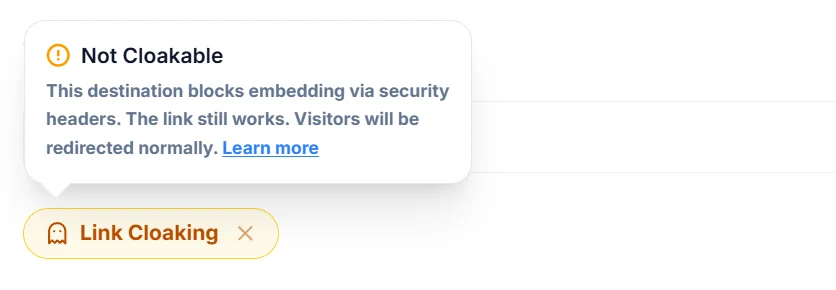
The link saves either way. If a site cannot be cloaked, Linkryse falls back to a normal redirect automatically. Nothing silently breaks on your visitors.
The amber badge means the destination site's security policy blocks iframe embedding. This is not a Linkryse issue. The link will still redirect visitors to the destination normally, it just will not keep your URL in the address bar.
Link Cloaking vs URL Shortening
These two features get mixed up often. They are related but different.
URL shortening replaces a long URL with a short one. When someone clicks it, the browser redirects to the destination. The address bar updates to show the final URL.
Link cloaking does not redirect. The address bar stays on your short link. The destination content loads inside a full-screen iframe.
In Linkryse, both work together on the same link. Every cloaked link is also a short link. You get a branded short URL and your domain stays in the address bar for the entire visit.
What Link Cloaking Is Not
This is worth clarifying because the term is used in two different contexts.
In SEO, "cloaking" refers to showing different content to search engine crawlers than to human visitors. That is a spam tactic. Google penalizes sites that do it.
Link cloaking in the URL shortener context is completely different. It is a browser-level presentation technique. All visitors see the same content. There is no deception involved and no SEO risk to you.
Linkryse's link cloaking is transparent and legitimate. It is the same mechanism used by link management tools across the industry.
How to Enable Link Cloaking in Linkryse
It takes about ten seconds. No additional setup or configuration required.
Step 1: Go to Links and click Create Link.
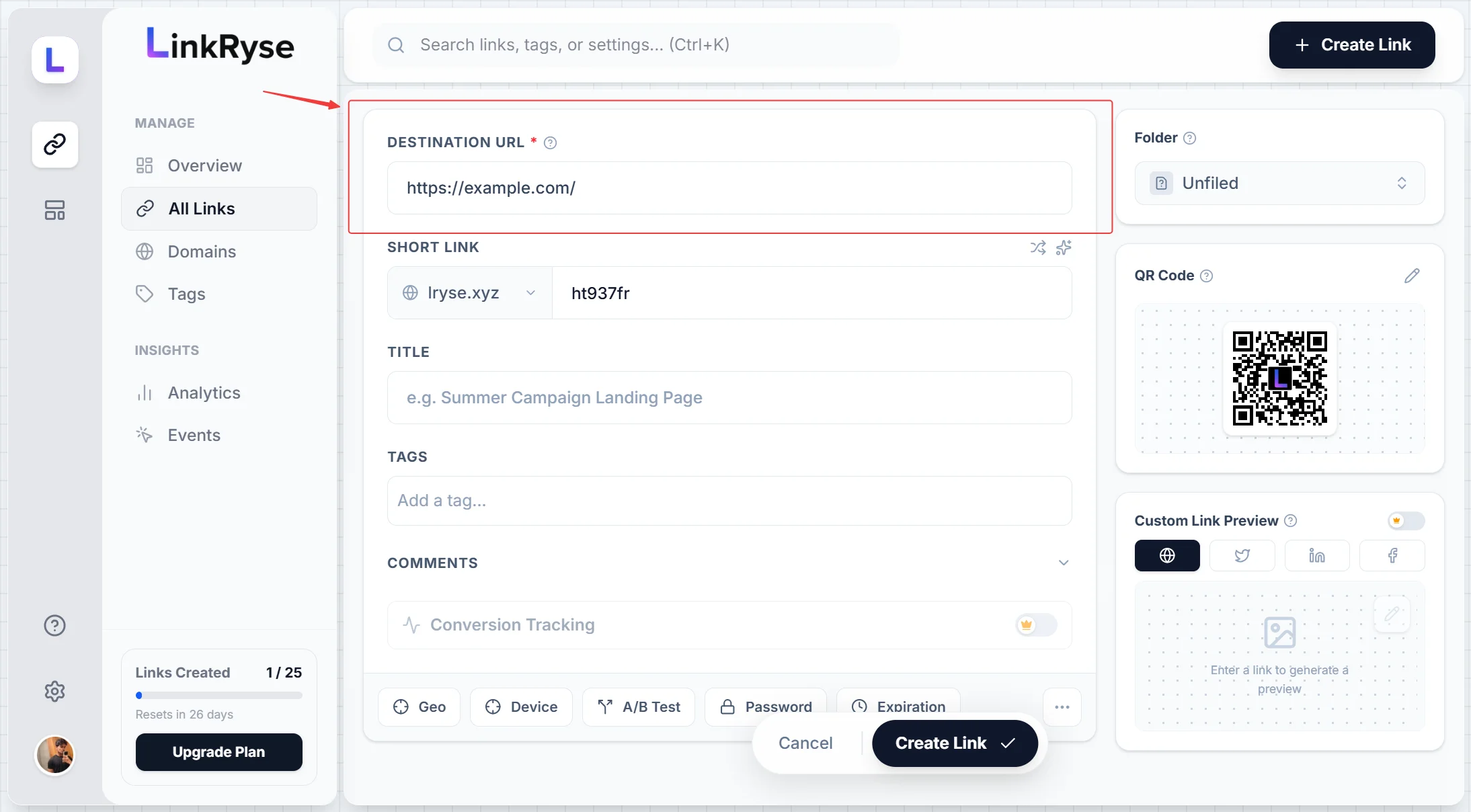
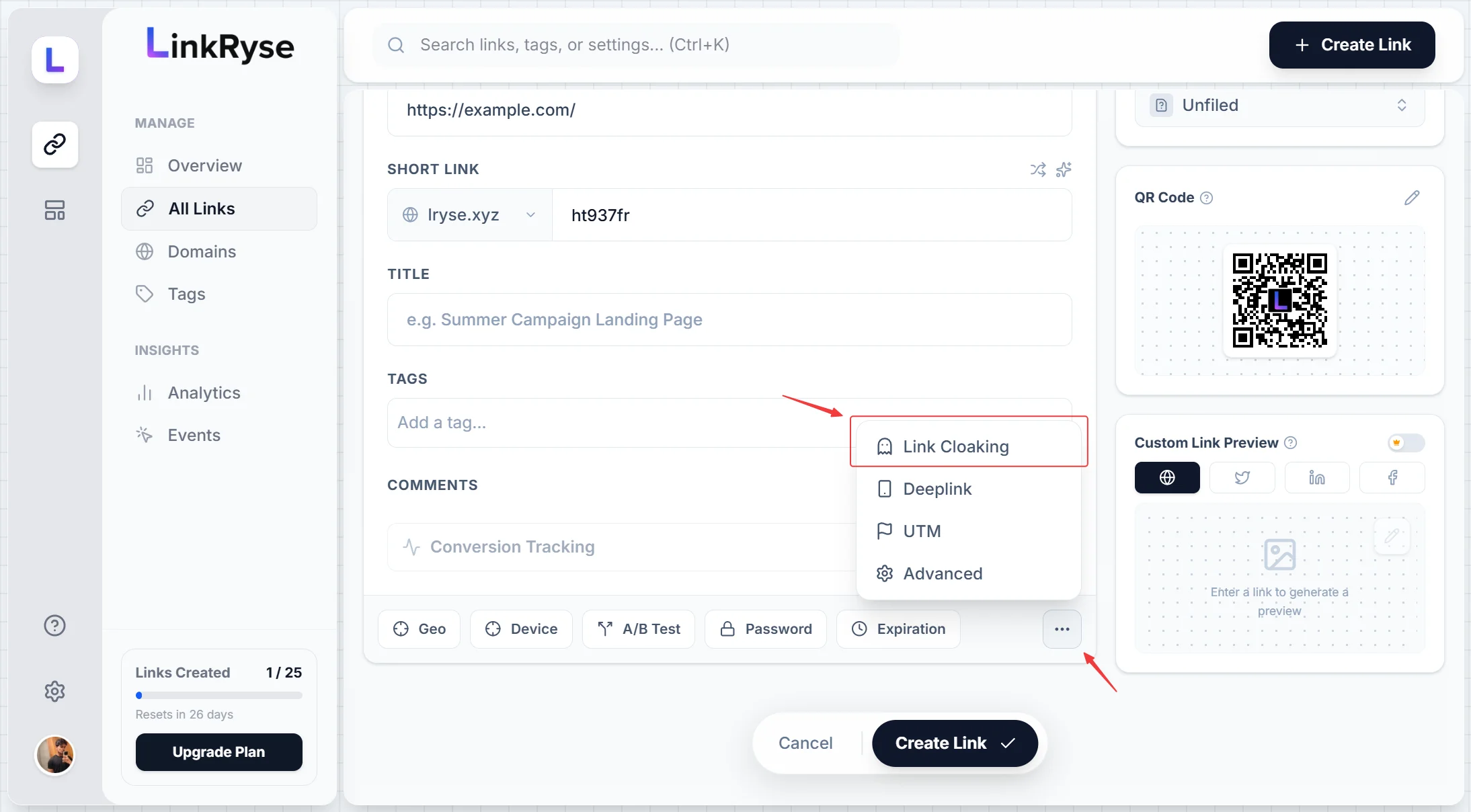
Step 2: Paste your destination URL. Then click the ... menu at the bottom of the form and select Link Cloaking.
Step 3: Linkryse immediately checks whether the destination supports cloaking and shows you the result.
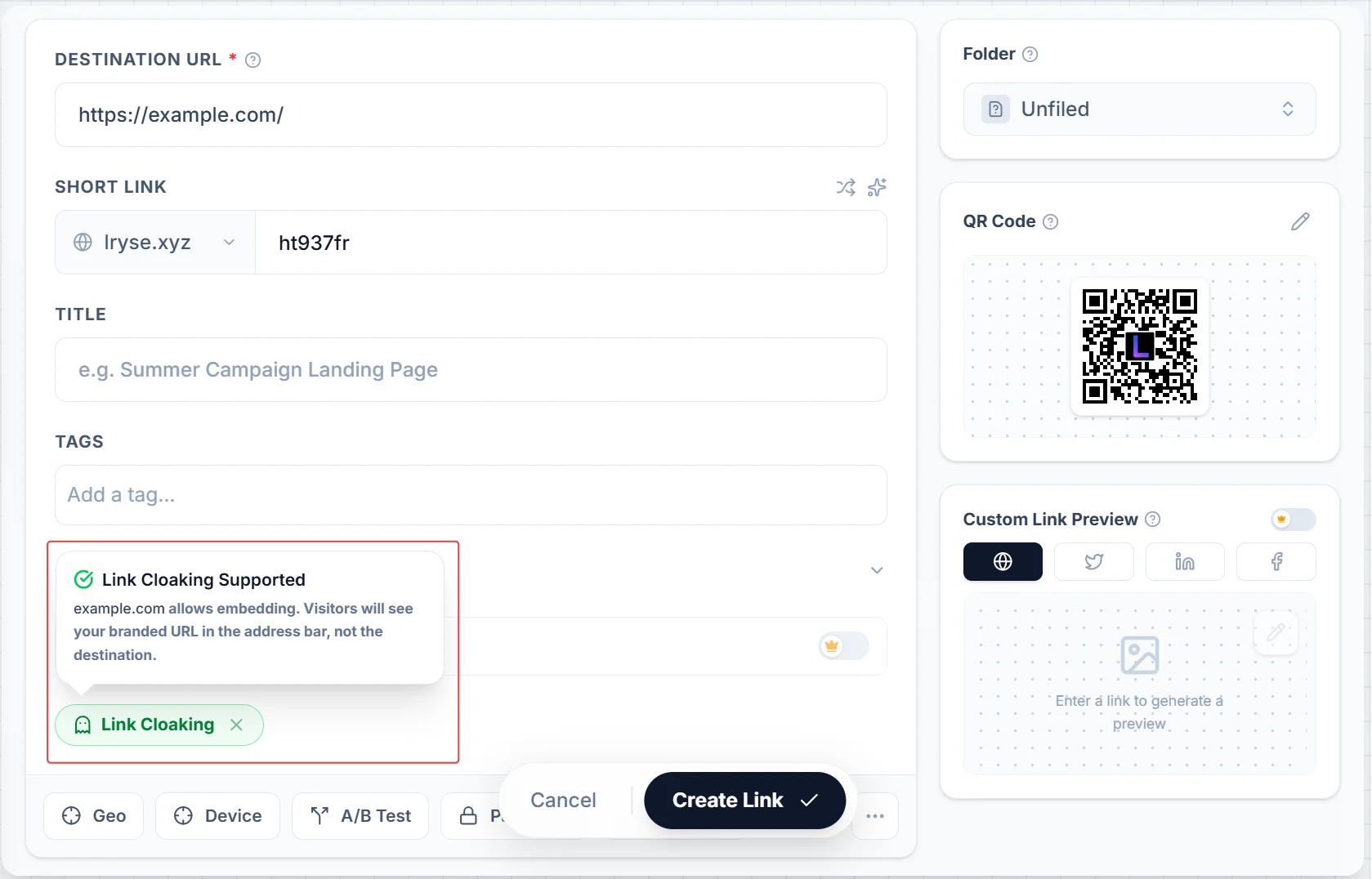
Green means it works. Amber means the site blocks embedding. Either way the link saves — if cloaking is blocked, Linkryse falls back to a normal redirect automatically.
Step 4: Save the link and visit it in your browser.
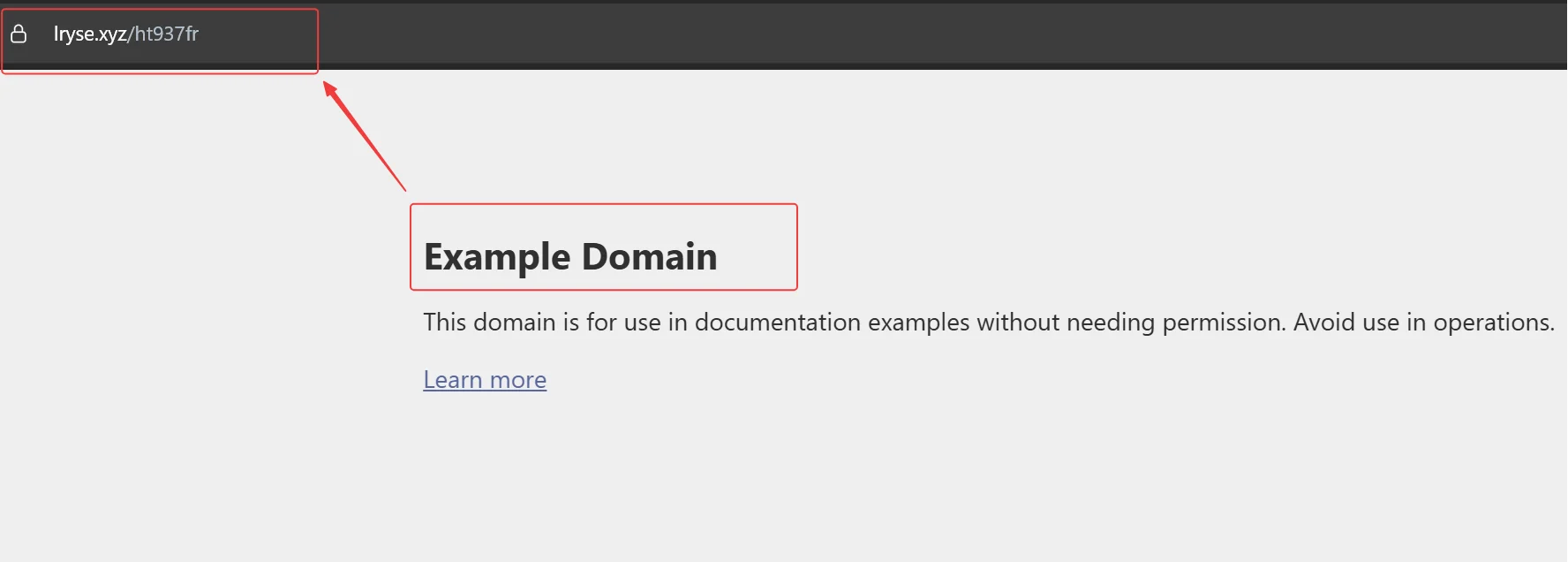
Your URL stays in the address bar. The destination loads underneath it. That is link cloaking working as intended.
Link cloaking works because of how browsers handle iframes, and it fails when sites set security headers to prevent exactly that. Linkryse handles the check, the fallback, and the branded URL automatically.
If you want to try it, Linkryse has a free plan. Link cloaking is available on all plans.